Welcome to Zomboid.net, where we bring you the latest news on Project Zomboid's game updates and multiplayer gameplay. The recent release of Unstable Build 42.13 has introduced long-awaited multiplayer support to enhance your gaming experience.
IMPORTANT NOTES
- For the best experience, consider playing on whitelisted servers or in Steam co-op.
- Avoid having more than 20 players on a server for optimal performance.
- Disable all mods, including client ones, during multiplayer games.
- Ragdoll functionality is currently disabled in multiplayer but will be added in future patches.
- Save compatibility has been affected, so back up your save before continuing to avoid any loss of progress.
- Modders are working to update their mods to ensure compatibility with the latest version.
HOW TO FIND BUILD 42
To access Build 42 on the Unstable beta for Project Zomboid players on Steam, follow these steps:
Right-Click game in Steam library -> Properties -> Click “Betas” tab -> Select “Unstable” from the Beta Participation Dropdown Menu
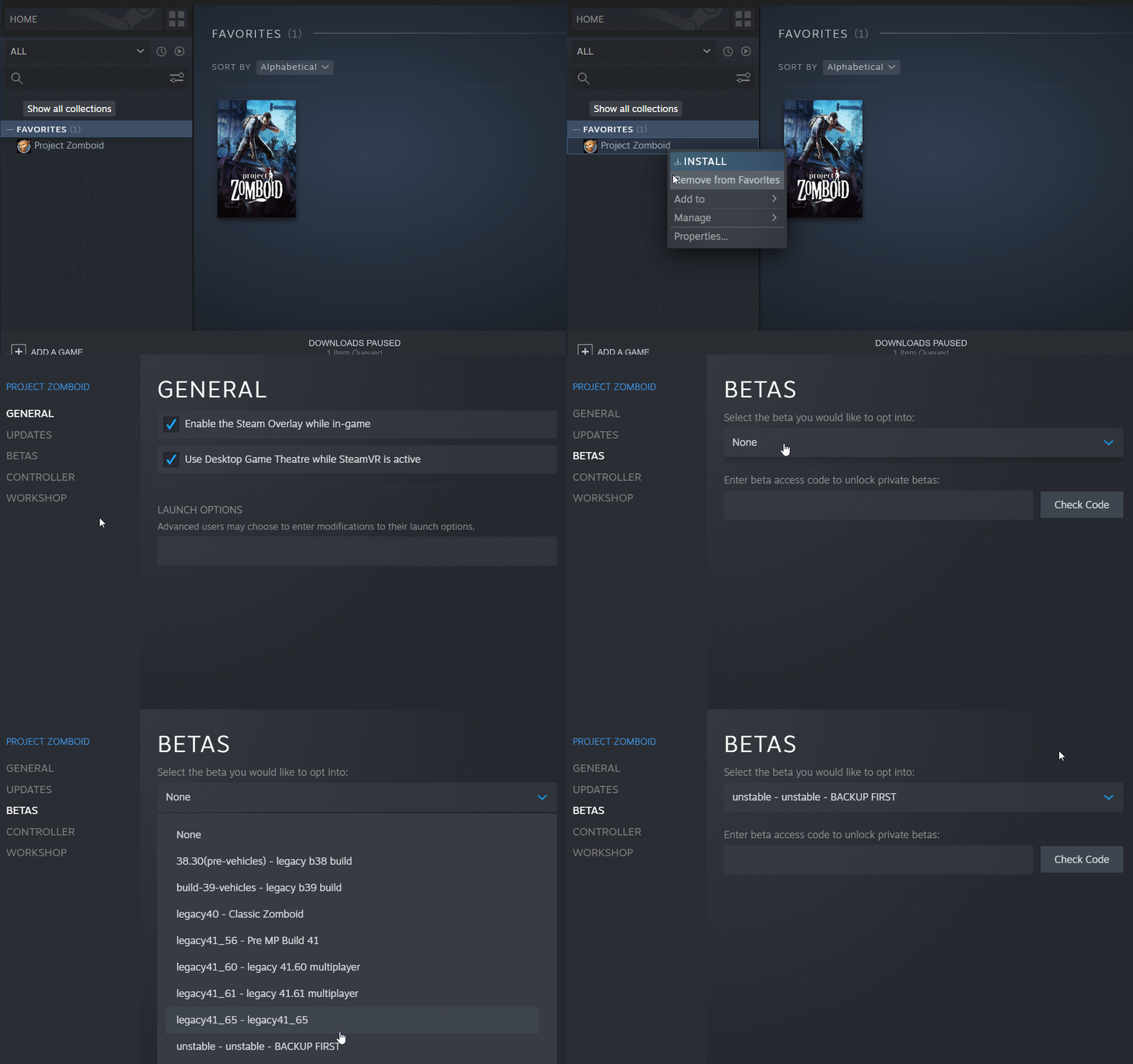
Once the version stabilizes, it will be available on GOG as well.
PATCH NOTES
For a detailed changelog of Build 42.13, including multiplayer improvements, visit here. Some key highlights from the update:
- Enhanced target selection when using firearms.
- Improved interior lighting mechanics, allowing light to pass through barricades and curtains.
- Various Quality of Life improvements related to inventory management and interactions.
- Streamlined crafting and building interactions with new icons and organization.